



MFT/3

Multifunction Table
Contains
8 Article
Product details
Guide Rail system

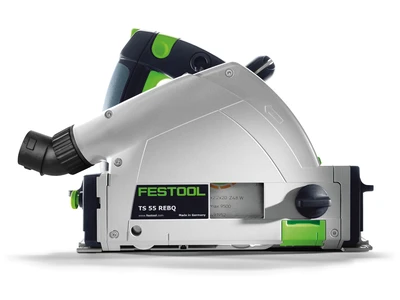
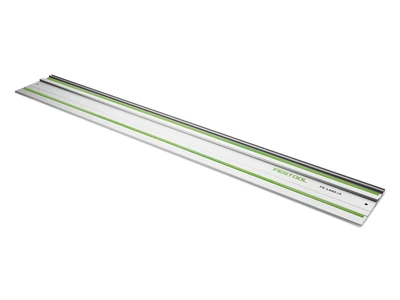
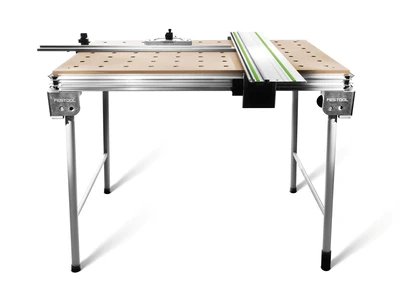
The integrated guide rail system allows you to cut with confidence. Adjustable to a maximum cutting depth of three inches, accurately cut materials over 27 inches in width - a feat which is impossible with the largest of miter saws. Combined with Festool TS Series saws, Trion jigsaws and OF Series routers, the guide rail is used to make precise, splinter-free cuts that are safer than with a conventional table or radial arm saw.

Angle Unit

The angle unit supplied with the MFT3 Multi-Function Table attaches using the V-Groove side rail enabling easy removal and quick, accurate reattachment. Using the angle units detents, make precise angle cuts at common angles. Changing the cut angle is much easier when compared to a miter saw where the entire saw head must be repositioned. The angle stop allows the guide rail and saw to remain stationary while repositioning the workpiece and fence.

Angle Stop

Precise, repeatable angle cuts. The angle stop, which is attached to the Multi-Function Table using the V-Groove side rail, prevents movement of the angle unit by stabilizing the end of the fence. It can be easily removed or repositioned using the locking knob.

Ergonomics

Not even the placement of the tensioning knobs for the legs of the MFT escaped consideration in the redesign of the MFT3 Multi-Function Table. The knobs are now placed further from the side of the MFT to provide ample room for rotating the knob without damaging your most valuable tools -- your hands.

Rubber Feet

Even the most minute of details have not been overlooked in the redesign of the new MFT3 Multi-Function Table. The new rubber foot caps protect the floor which is especially important while working on the job site. The new caps also make the MFT more resistant to lateral movement during use.

Combining Tables

Festool's system approach to tool design is exemplified in the use of the integrated T-Groove side rail to quickly and easily connect two or more Multi-Function Tables (MFTs) to one another. Simply insert the optional connectors (484 455) into the side rails to bridge the MFTs to one another multiplying your work surface. It's that simple!

This might also interest you

There is more to discover